

Comparing TradingView indicators for reliable trading signals, clear risk management, and integration support is harder than it appears. Many popular tools either repaint signals at bar close, lack built-in stop loss and profit targets, or limit automation and backtesting to specific asset classes. This comparison covers key features and limitations of top alternatives so you can decide which TradingView indicator suite fits your trading style and workflow.
Table of contents
QuantLogic x
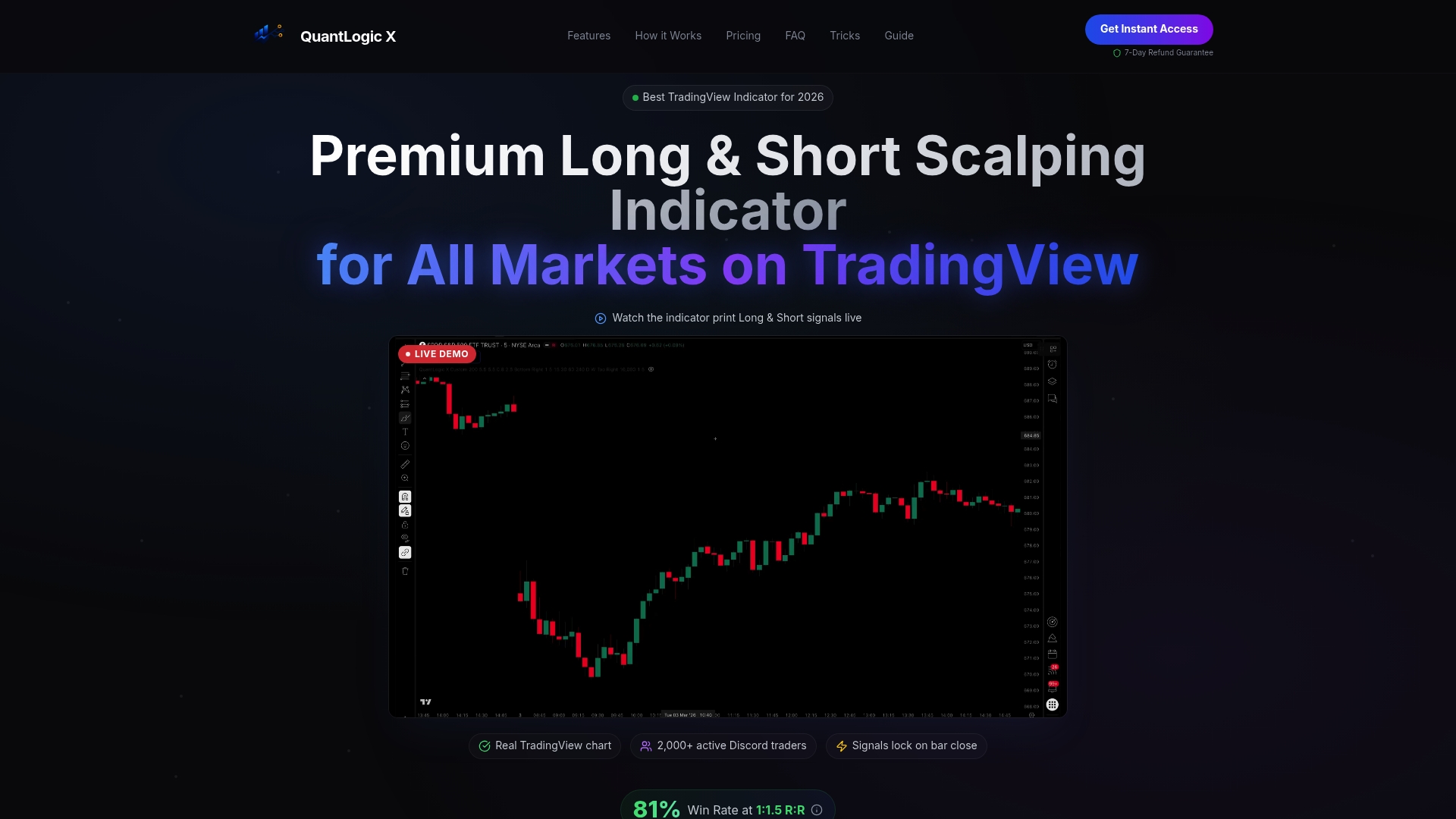
At a glance
According to the company, the indicator reports an 81% backtested win rate and adoption by over 2,000 traders, including recorded individual gains of $8,200 in one month. That claim is a vendor self report and should be treated as such. The tool targets scalpers and day traders who want clear long and short signals that do not repaint at bar close.
Core features
- Multi timeframe trend detection with non repainting signals and Pine Script v6 implementation. This keeps signals stable at bar close.
- Automatic stop loss and take profit levels for each signal to simplify risk management. Users can apply those levels directly on TradingView.
- Real time alerts via TradingView push and Discord webhook so you get notified immediately when a signal appears.
- Built in false signal filter to reduce noise on lower timeframes and during choppy sessions.
- Backtested performance across markets and timeframes, including 1 to 15 minute scalping, intraday, and swing setups.
Key differentiator
The single greatest technical distinction is the combination of non repainting signals and a vendor reported backtested win rate run on Pine Script v6. That pairing matters because it keeps alerts reliable at candle close while offering a quantified performance claim. The indicator also spans stocks, forex, crypto, and futures, which limits the need to switch tools by asset class.
Pros
-
High accuracy claim. The vendor advertises an 81% win rate from backtests, which explains why many traders evaluate the signals for scalping.
-
No repainting signals. Signals remain fixed at bar close, so you can plan entries and stops without chasing moving targets.
-
Cross market support. Works on stocks, forex, crypto, and futures, so you can use a single indicator across accounts.
-
Instant notifications. Real time alerts to TradingView and Discord mean you can act on setups without staring at charts all day.
-
Active community and guides. Discord support and educational material help traders interpret signals and share setups.
Cons
- Not an automated bot. You must interpret signals and manage execution, so the indicator requires trading knowledge to use well.
Notable integrations
- TradingView platform for charting, alerts, and Pine Script deployment.
- Discord webhooks for channel alerts and community communication.
Who it's for
Serious retail traders and scalpers who want verified, non repainting signals with integrated alerts. The indicator fits traders who trade 1 to 15 minute charts and those who switch between stocks, forex, crypto, and futures. It suits users who prefer signal guidance plus manual execution rather than a fully automated system.
Unique value proposition
Built in automatic stop loss and take profit levels reduce manual setup and speed execution. That feature shortens the workflow from signal to order entry and helps traders keep consistent risk per trade. For active scalpers who trade multiple markets, this lowers the time spent setting stops across charts and improves execution discipline.
Real world use case
A day trader runs the indicator on TradingView using a 3 minute EUR/USD chart. They receive a Discord alert, apply the automatic stop loss and take profit levels, and place a market order. That workflow improves trade accuracy and frees the trader to monitor multiple pairs.
Pricing
Monthly at $59.98, quarterly at $149 with a reported savings of about 17 percent, and a lifetime license at $349 one time. Pricing covers the TradingView indicator and access to Discord support and guides.
Website: https://quantlogicx.com
ChartPrime
At a glance
Includes a full kit with four main indicators and real time signals that show profit and stop loss levels. The service pairs automated pattern detection with market tools like order blocks and volume profile. ChartPrime integrates directly with TradingView and maintains an active community and live training sessions.
Core features
ChartPrime bundles core analysis tools and learning resources to speed trade decisions.
- Full kit with four main indicators for trend and entry analysis.
- Real time signals with profit and stop loss targets for each alert.
- Automated pattern detection plus market tools such as order blocks and volume profile.
- Smart money concept tools and trend shift detectors including Quantum Bands and Influencer Signals.
Key differentiator
ChartPrime stands out for combining advanced indicators inside a TradingView workflow while offering ongoing trader education and community support. That pairing helps you test indicator setups inside the same charting app you already use. The vendor emphasizes live classes and strategy sessions as part of its product mix.
Pros
- Responsive customer support and an active trader community. Users report frequent instructor interaction and troubleshooting help.
- High quality indicators with regular updates. The product team maintains indicator versions and releases fixes.
- Clear signal presentation and automation features that save analysis time. Signals include suggested profit and stop loss levels.
- Extensive educational content including live strategies and classes. That content helps beginners shorten the learning curve.
- Multi market support for stocks, forex, crypto, and commodities. One toolkit covers several asset classes.
Cons
- Subscription cancellation can be difficult for some users. The vendor documentation and support routes do not always make the flow obvious.
- A few indicators feel like rebrands of common techniques. Traders who already use community scripts may see overlap.
- The product is not a plug and play profitable system. You must build and test strategies around the signals.
- Performance does not guarantee profits. Signal quality requires user discipline and position management.
When it may not fit
If you want a fully automated execution engine you will find ChartPrime limiting. The service supplies signals and detection tools but not a hands off order manager. If you prefer only free community indicators the subscription cost may not be the right value proposition.
Notable integrations
ChartPrime integrates with TradingView for indicator deployment and alert handling. That connection lets you run ChartPrime indicators inside your existing charts and use TradingView alerts for third party automations.
Who it's for
Traders who want a set of ready indicators plus ongoing education will get the most from ChartPrime. It fits both beginners who need guided classes and experienced traders who want faster pattern scanning. Avoid it if you expect turnkey automated execution.
Real world use case
A forex trader scans multiple pairs using ChartPrime's automated pattern detection and Quantum Bands. The trader receives real time signals with profit and stop loss guidelines and then joins a live session to test a replayed setup. That workflow reduces time spent scanning and improves confidence in entries.
Pricing
ChartPrime starts at $40/month for the Pro package with discounts for yearly billing. Upgrades to a Plus tier add more features and content. Trial and upgrade details appear on the vendor site.
Website: https://chartprime.com
AlgoAlpha
At a glance
AlgoAlpha reports over 79,000 active traders using its indicators and signals. That level of adoption signals broad interest from active market participants. The product bundles TradingView indicators, crypto signals, automation, AI backtesting, and a trader community into a single workflow. Users often cite smooth onboarding and responsive support while noting the indicators need hands-on interpretation.
Core features
- Smart Signals Assistant, ILPAC™, and Momentum Concepts™ indicators for structure and momentum analysis on TradingView.
- Echo™ automation for auto-copy execution and trade automation on supported exchanges.
- AI-powered backtesting and a Backtest Strategy Builder to iterate and refine rules without coding.
- Market screeners that monitor multiple assets for liquidity and momentum shifts.
- Community education via Discord, market updates, and curated content for strategy development.
Key differentiator
AlgoAlpha combines award-winning indicators, real-time crypto signals, and automation inside TradingView. Its stack lets you test, refine, and automate strategies without writing scripts. That integration and community support make it better suited for traders building multi-asset systems than for traders who want a single, simple scalping signal. Compared with Quantlogicx's scalping-focused offering, AlgoAlpha targets strategy builders and automation users.
Pros
- Easy onboarding and responsive support make the initial setup fast for traders new to indicator suites.
- Tools are customizable, letting you adapt signals into your own trading rules rather than following fixed alerts.
- Active community channels provide rule sharing, example setups, and trade discussion that speed learning. The community also reflects the figure above.
- Multiple award-winning indicators cover momentum, structure, and signal generation across crypto, forex, stocks, indices, and commodities.
- No coding is required to backtest and automate; this lowers the technical barrier for many traders.
Cons
- Indicators require manual adjustment and skilled interpretation to perform reliably in live markets.
- The signals are not automatically accurate; user skill and strategy discipline determine outcomes.
- The product demands active engagement and strategy development rather than passive signal following.
- Automation is limited to supported exchanges and needs funded accounts and API setup before it can run.
When it may not fit
If you want a plug-and-play signal that executes without manual rules, this will feel heavy. Novice traders without time to learn interpretation may struggle. Traders who need automation on unsupported exchanges will face integration gaps.
Notable integrations
- TradingView
Who it's for
Serious traders who want institutional-grade TradingView indicators combined with automation and a learning community. Active crypto traders, technical analysts, and traders who prefer building and backtesting strategies without coding will get the most from AlgoAlpha. Traders who want a hands-off signal will find this a poor match.
Real world use case
A crypto trader identifies high-probability entries with Smart Signals Assistant. They test the rules with AI backtesting and refine position sizing. After validating results, they automate execution on a supported exchange with Echo™ and continue discussion in Discord for live trade context.
Pricing
Paid plans start at about $24.98 per month for indicators. A VIP Bundle runs around $68.98 per month. Yearly billing offers discounted rates on both plans.
Website: https://algoalpha.io
Comparison of leading TradingView indicator solutions
When selecting a TradingView indicator solution, consider ease of use, accuracy of signals, and additional features to find the best match for your trading needs.
| Product | Core Feature | Key Differentiator | Best For | Pricing | Notable Limitation |
|---|---|---|---|---|---|
| Quantlogicx | Non repainting multi-market signals | Advanced Pine Script v6 signals with 81% win rate | Scalpers and day traders | $59.98/month | Requires manual execution expertise |
| ChartPrime | Pattern detection with profit levels | Integrated education and training ecosystem | Beginners and learners | $40/month | Subscription cancellation occasionally unclear |
| AlgoAlpha | Automation and backtesting tools | Combines AI for strategy refinement | Strategy developers | $24.98/month | Demands active strategy development |
Discover a reliable alternative to trend-riders.com with Quantlogicx
If you are searching for trustworthy, non repainting scalping signals across stocks, forex, and cryptocurrency, Quantlogicx stands out as an ideal trend-riders.com alternative. The challenge many traders face is finding clear, fixed signals combined with automatic risk management tools that adapt to fast markets without confusion or guesswork. Quantlogicx answers this by delivering an 81% backtested win rate and real-time alerts designed for traders who need precise long and short signals that remain stable at candle close.
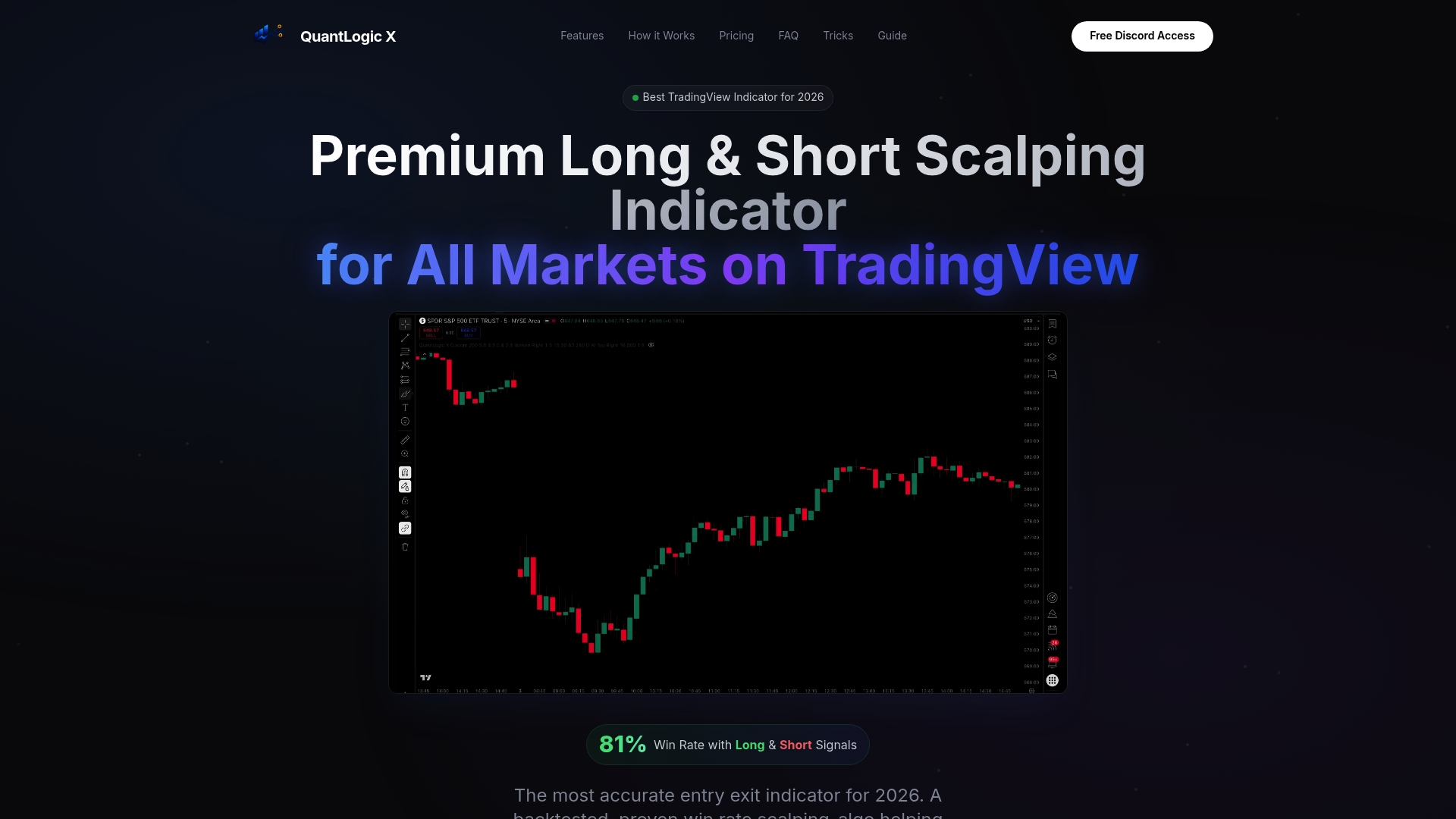
Stop spending time adjusting to repainting indicators or juggling multiple tools. Visit Quantlogicx to see how this indicator simplifies trade entries and stop levels with built-in automation for scalable execution. Experience signals that thousands of traders rely on to maximize profits and sharpen discipline on every trade.
FAQ
How does Quantlogicx improve trade accuracy for scalpers?
Quantlogicx provides a high accuracy claim with an 81% backtested win rate, making it ideal for scalpers. The tool offers non repainting signals that remain fixed at bar close, enabling traders to plan entries and stops effectively. This allows users to take advantage of precise signals without the uncertainty of moving targets.
What is the difference between ChartPrime and Quantlogicx?
ChartPrime offers a full kit with four main indicators and real-time signals for profit and stop loss levels, focusing on automated pattern detection. In contrast, Quantlogicx specializes in non repainting scalping signals and automatic stop loss and take profit levels, making it more suitable for traders who prefer manual execution with precise guidance. If you prioritize ongoing education and community support, ChartPrime might be a better fit.
Can i use Quantlogicx if i'm not an experienced trader?
Quantlogicx is designed for serious retail traders and scalpers, but it does require some trading knowledge to interpret signals effectively. The built-in automatic stop loss and take profit levels simplify risk management, so beginners can start using it with some instruction and practice. If you're looking for guided education, consider starting with a community-oriented option like ChartPrime.
What kind of markets does Quantlogicx support?
Quantlogicx supports a variety of markets, including stocks, forex, crypto, and futures. This cross-market compatibility allows traders to use a single indicator across different asset classes without the need to switch tools. This versatility is especially beneficial for those who trade multiple instruments frequently.
How much does Quantlogicx cost?
Quantlogicx pricing starts at $59.98 per month, with options for quarterly payments at $149 and a one-time lifetime license for $349. This pricing includes access to TradingView indicators and Discord support, making it a convenient choice for active traders who value real-time communication.