
Trade signals generate alerts by applying predefined "if-then" rules that monitor live market data and fire notifications the moment specific conditions are met. This process converts raw price, volume, and indicator data into structured signals delivered through push notifications, email, SMS, or webhook automation. Platforms like TradingView and TradeAlgo have built entire alert ecosystems around this logic, making it possible for traders to respond in seconds or route signals directly into automated execution pipelines. Understanding how alert generation works at the mechanical level gives you a measurable edge, whether you scalp forex or swing trade crypto.
How trade signals generate alerts from market data
Trade alerts are "if-then" rules where predefined criteria trigger notifications the moment market data matches those conditions. The raw inputs fall into four main categories, each producing a different class of signal.
Price alerts are the most common trigger. You set a target level, a support zone, or a resistance breakout threshold, and the system fires when price crosses that boundary. These are the simplest alerts to configure and the fastest to understand, but they carry the highest false-positive rate when used alone.
Indicator alerts add a layer of analytical filtering. Systems process raw market data into indicators, then compare computed values against thresholds such as RSI crossing above 70, a 50-period moving average crossing a 200-period moving average, or MACD histogram flipping positive. Each of these comparisons runs on every new bar or tick, depending on your platform settings.
Volume alerts detect abnormal activity. A volume spike above a rolling average signals institutional participation or a news-driven move. These alerts are most useful as confirmation layers rather than standalone triggers, since volume alone rarely defines direction.
News and economic event alerts use natural language processing to scan headlines and flag events tied to specific tickers or macro themes. These are less common in retail platforms but appear in institutional tools and some advanced API-connected setups.
Multi-condition triggers combine these categories. A practical example: an alert fires only when price breaks above a 20-day high AND RSI is below 65 AND volume exceeds the 10-day average by 20%. Each condition narrows the trigger universe, which is exactly the point.
Why multi-condition filtering separates good signals from noise
Single-condition alerts fire constantly. If you set a price alert every time a stock touches a moving average, you will receive dozens of notifications per session, most of them irrelevant to your actual strategy. Single-condition alerts generate excessive noise, and that noise creates alert fatigue, the state where traders start ignoring notifications entirely because too many have proven worthless.
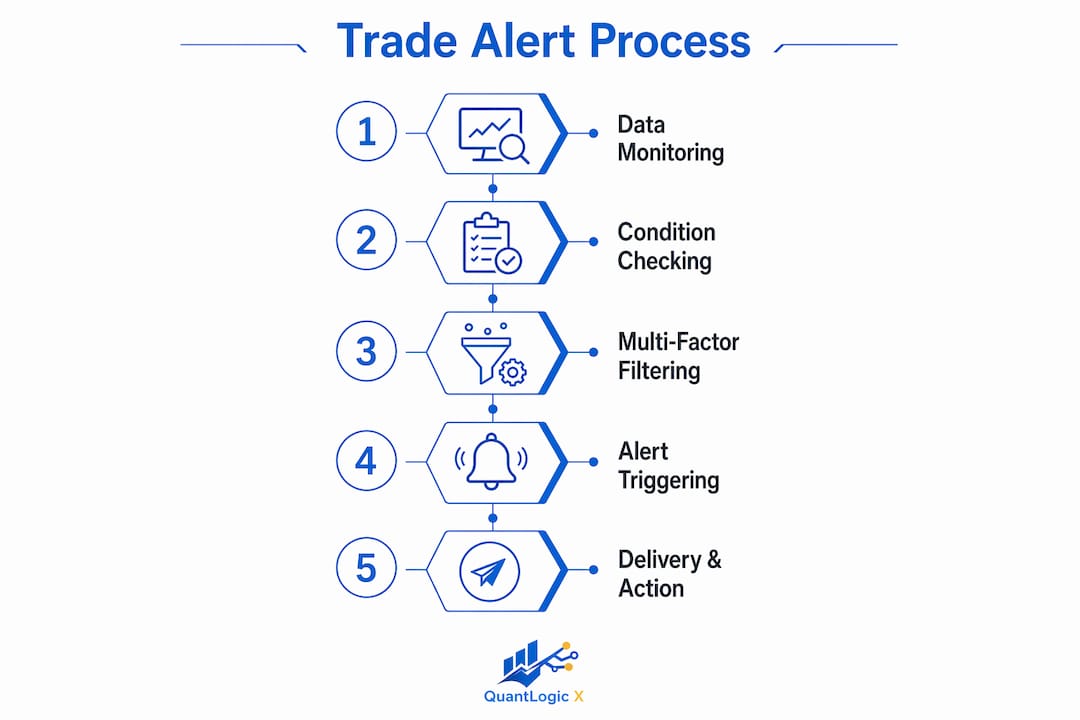
Multi-condition logic solves this directly. TradeAlgo uses AND logic for alert conditions, requiring multiple simultaneous factors before a signal fires. The result is fewer alerts with higher conviction behind each one. A signal that requires price breakout, indicator confirmation, and volume expansion is structurally more reliable than any single one of those conditions alone.
Here is what a well-filtered multi-condition alert setup looks like in practice:
- Price condition: Close above the 50-day moving average for the first time in 10 sessions
- Indicator condition: RSI between 50 and 65, confirming momentum without overbought territory
- Volume condition: Current bar volume exceeds the 20-day average by at least 15%
- Time filter: Alert only fires during the first two hours of the New York session
Each layer removes a category of false positives. The time filter alone eliminates low-liquidity signals that would otherwise look identical to high-probability setups on a chart.
Pro Tip: Build your alert conditions in reverse. Start with the highest-conviction condition, then add filters until the backtest shows fewer than three false signals per week. More conditions are not always better, but the right combination dramatically improves signal quality.
The practical benefit extends beyond accuracy. Multi-factor confirmations increase alert reliability and trader trust, which means you act on more of the signals you receive. That behavioral shift compounds over time into better execution consistency.
How platforms like TradingView create and deliver alerts
TradingView is the most widely used retail platform for alert creation, and its system covers the full workflow from condition setup to delivery. TradingView lets users create alerts on price, indicators, drawings, and strategies, delivering via push notification, email, SMS, or webhook with dynamic placeholders embedded in JSON payloads.
The creation workflow follows these steps:
- Open the alert dialog by right-clicking a chart or pressing Alt+A. Select the condition source: a price level, an indicator output, a drawing object, or a Pine Script strategy.
- Set the trigger logic. Choose from crossing, crossing up, crossing down, greater than, or less than. For strategies, the trigger fires on order execution events.
- Configure recurrence. Options include "once," "once per bar," or "once per bar close." Bar close is the most reliable for avoiding mid-bar noise on volatile instruments.
- Write the alert message. Use dynamic placeholders like "{{ticker}}
,{{close}}, and{{exchange}}` to populate the message with live data at the moment of firing. - Set the webhook URL. Paste your endpoint into the dedicated webhook field. Closing, entry, exit, and order size signals can be included using placeholders like
{{strategy.order.action}}and{{strategy.order.contracts}}for precise automated order routing. - Activate and monitor. TradingView sends an HTTP POST to your webhook endpoint with the JSON payload you configured. Your receiving server processes the payload and executes the downstream action.
TradingView also supports alerts on Fibonacci drawings, letting you set crossing conditions on dynamic Fib levels without manually updating price targets as the chart evolves. This is a significant time saver for traders who use retracement levels as entry triggers.
Pro Tip: The most common webhook failure is placing the JSON payload in the webhook URL field instead of the message body. Confusing the webhook URL field with the message payload causes silent failures where TradingView fires the alert but your server receives nothing. Always verify your endpoint receives a test POST before going live.
Alert delivery methods and their impact on trading effectiveness
How an alert reaches you matters as much as the quality of the signal itself. Push notification delivery averages 0.3 to 1.5 seconds, while email alerts average 15 to 45 seconds. For a day trader scalping a 1-minute chart, a 30-second delay is not a minor inconvenience. It is the difference between entering at the signal price and chasing a move that has already extended.
The table below compares the main delivery channels across the factors that matter most to active traders.
| Delivery method | Average latency | Best use case | Key limitation |
|---|---|---|---|
| Push notification | 0.3 to 1.5 seconds | Day trading, scalping | Requires mobile device nearby |
| Webhook | Near real-time | Automated execution pipelines | Requires server infrastructure |
| SMS | 2 to 10 seconds | Swing trading, backup alerts | Carrier delays possible |
| 15 to 45 seconds | Swing trading, logging | Too slow for intraday decisions |
Alert delivery speed is integral to alert usefulness. A tiered approach works best: push notifications for urgent signals that require immediate action, and email for lower-priority alerts that serve as a record or secondary confirmation. Webhook delivery bypasses human reaction entirely, routing the signal directly to an execution engine, which is the architecture that professional algorithmic setups use.
Swing traders can tolerate email latency because their setups play out over hours or days. Day traders and scalpers cannot. Matching your delivery channel to your strategy timeframe is not optional configuration. It is a core part of how you receive trade signals effectively.
For traders using Pine Script strategies on TradingView, the scalping signal checklist approach applies directly here: configure alerts to fire on bar close, use push or webhook delivery, and never rely on email for entries under a 15-minute timeframe.
Key takeaways
Trade signals generate alerts most effectively when multi-condition logic filters raw market data and webhook delivery routes those signals into execution pipelines with sub-second latency.
| Point | Details |
|---|---|
| Alert generation is conditional logic | Signals fire only when price, indicator, and volume conditions are simultaneously met. |
| Multi-condition filtering reduces noise | Combining AND logic across multiple data types cuts false positives and builds trader confidence. |
| Webhook delivery enables automation | JSON payloads with TradingView placeholders route signals directly to execution servers. |
| Delivery channel determines timeliness | Push notifications deliver in under 1.5 seconds; email averages 15 to 45 seconds, too slow for scalping. |
| Bar close triggers improve reliability | Alerts set to fire on bar close avoid mid-bar noise that generates premature or false signals. |
Why most traders set up alerts wrong
I have reviewed hundreds of alert configurations from traders at every experience level, and the same mistake appears constantly. Traders build alerts around a single condition they trust, usually a favorite indicator, and then wonder why they are getting whipsawed on entries. The alert fired correctly. The signal was just incomplete.
The shift that changes everything is treating alert generation as a filtering problem, not a detection problem. Your indicator already detects the condition. The alert's job is to confirm that the detection is worth acting on. That requires at least two independent data sources agreeing before the notification fires.
Webhook automation is where I see the second major gap. Traders spend hours perfecting their Pine Script strategy, then route the webhook to a server they have never stress-tested. The webhook URL versus message payload confusion is real and common. I have seen traders run live accounts for weeks on a broken webhook, manually entering trades they thought were automated, never realizing the pipeline was silent.
The deeper issue is that alerts serve as decision-support tools, not final trade executors. Automation without backtesting and risk controls is not a system. It is a liability. The traders who use alerts well treat each notification as a prompt to check context, not a command to execute blindly. That distinction, between a trigger and a decision, is what separates consistent performers from traders who blow up on a single bad signal.
If you want to understand how trading indicators generate profits, start by understanding how the alerts those indicators produce are structured. The signal quality and the alert architecture are the same problem viewed from different angles.
— Tran
Take your alert setup further with Quantlogicx
Quantlogicx is built specifically for traders who want multi-condition signal generation without building the logic from scratch. The Quantlogicx indicator for TradingView combines price, momentum, and volume conditions into a single zero-repaint signal, firing long and short alerts only at bar close to eliminate mid-bar noise.
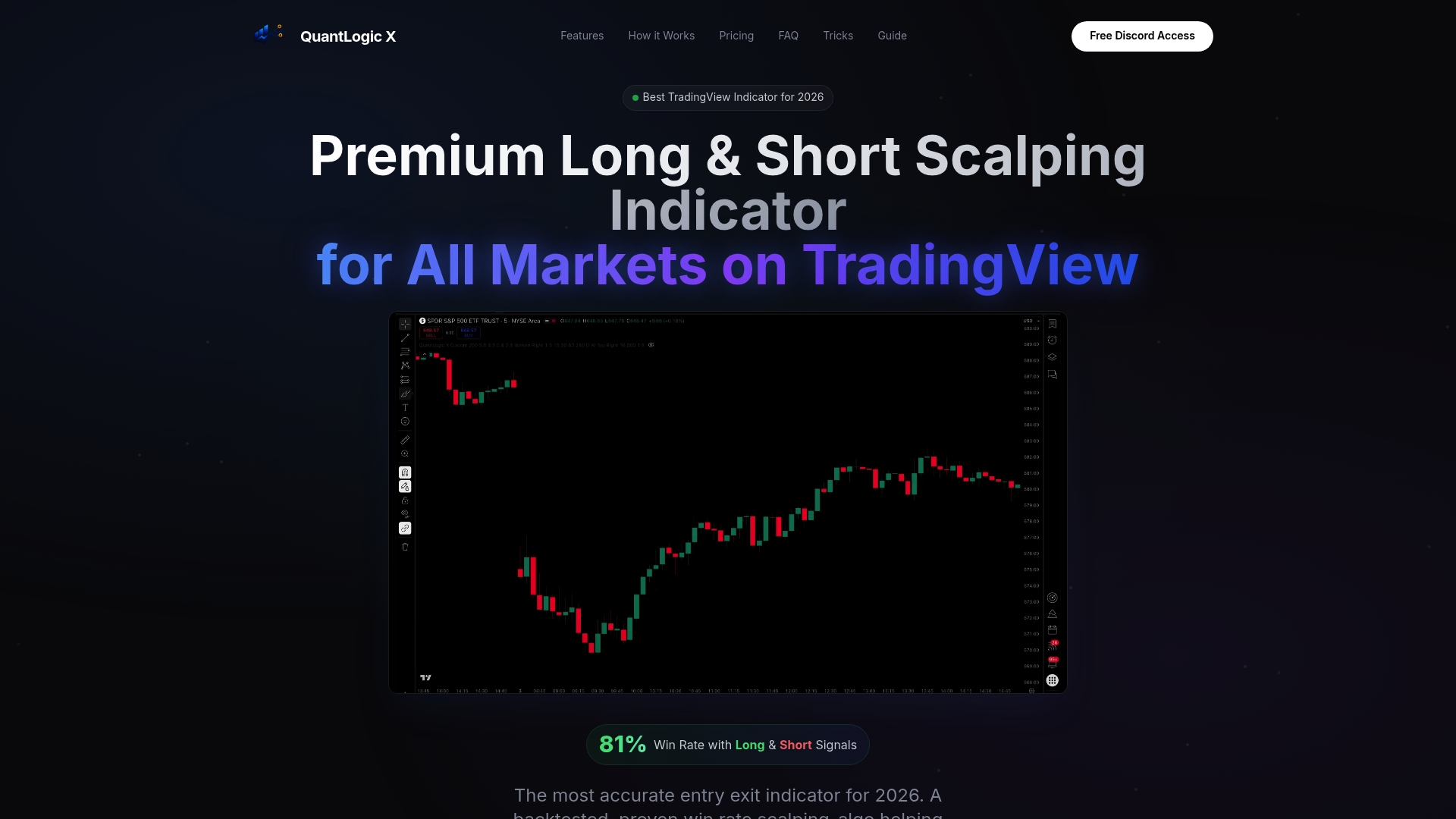
Over 2,000 traders use Quantlogicx across stocks, forex, and crypto, with the alert system fully integrated into TradingView's webhook infrastructure. You can route every signal directly to your execution pipeline using the same JSON placeholder structure covered in this article. Explore the Quantlogicx TradingView indicator to see how multi-condition alerts and webhook automation work together in a production-ready setup.
FAQ
How do trade signals generate alerts exactly?
Trade signals generate alerts by evaluating live market data against predefined conditions and firing a notification when all criteria are met. The process runs continuously on each new price bar or tick, depending on platform settings.
What is the difference between a trade signal and a trade alert?
A trade signal is the analytical output indicating a potential entry or exit. A trade alert is the notification mechanism that delivers that signal to the trader via push, email, SMS, or webhook.
Why are multi-condition alerts better than single-condition alerts?
Single-condition alerts fire too frequently, creating noise that leads to alert fatigue. Multi-condition alerts require several factors to align simultaneously, which reduces false positives and increases confidence in each signal.
How do webhooks work in trading alert systems?
Webhooks send an HTTP POST request containing a JSON payload to a specified server URL the moment an alert fires. TradingView supports dynamic placeholders like {{ticker}} and {{strategy.order.action}} to populate the payload with live trade data for automated order execution.
Which alert delivery method is fastest for day traders?
Push notifications deliver alerts in 0.3 to 1.5 seconds, making them the fastest option for active traders. Email averages 15 to 45 seconds, which is too slow for intraday strategies where entry timing is critical.